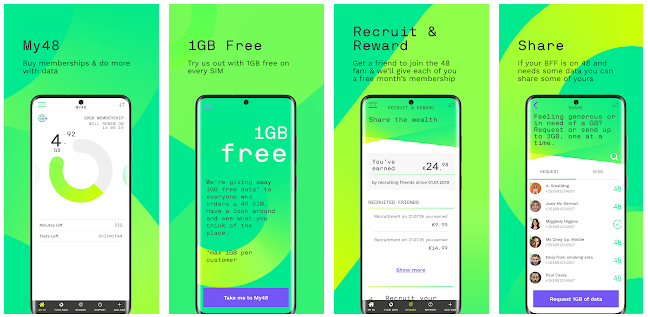
 My48 App.PNG
My48 app is free self-service option that makes it easy than to stay in control and manage your account while on the go.
Features available in you My48:
- Buy a plan, additional credit & add-ons.
- Check your payment transaction history.
- Access your Flexi Data.
- Check your remaining allowance.
- Add, edit or delete your payment card details.
- Update your contact information.
- Recruit friends through our Recruit & Reward programme.
- Manage your marketing preferences.
- Retrieve your PUK code.
- Order a replacement SIM.
How Updates Work for the My48 App (Android & iOS)
Keeping your app updated ensures you always have the latest features, performance improvements, and security fixes. Here’s how updates work based on your device settings:
1) Automatic Updates ON
- Android: If auto-update is enabled in Google Play Store settings, the My48 App updates automatically usually when connected to Wi-Fi (or mobile data if allowed).
- iOS: If App Updates are enabled under Settings > App Store, your iPhone or iPad updates the My48 App automatically when connected to Wi-Fi (or mobile data if allowed), and not in Low Power Mode. Updates may be delayed for a few days after release.
2) Automatic Updates OFF, Notifications ON
- Android & iOS: If auto-update is off but notifications are on, you’ll receive alerts when a new version is available. Tap the notification to update manually.
3) Automatic Updates OFF, Notifications OFF
- Android: Open Google Play Store, search for My48 App, and tap Update (if available).
- iOS: Open App Store, tap your profile icon, scroll to find My48 App under pending updates, and tap Update.
Troubleshooting
If you’re having issues with the My48 app, we would suggest trying the following:
- Double check that you're using the correct email and password combo to log in.
- Uninstall and reinstall app.
- Try to log into your My48 account on desktop.
If none of the above steps resolve your query, then please get in touch with 48 Customer Care through our support page and we would be happy to assist you further.